Villa listings love the words “fast wifi” and “dedicated workspace,” yet remote workers keep discovering the truth only after paying the deposit: a connection that crawls during video calls and a wobbly table beside a sun-glared screen. The gap between the listing photos and the reality of remote-work villas is one of the most expensive surprises in travel right now.
This guide shows you how to close that gap before and after you book. You’ll learn why advertised speeds rarely match what your room actually gets, which questions to ask hosts before paying, how to test the connection in your first hour on arrival, and what makes a workspace genuinely usable for a full workweek. We’ll also cover backup plans for power cuts and data SIMs, and look at two destinations that deliver: Bali and Phuket. Follow the process and you’ll rarely lose a workday to a bad villa again.
Why ‘Fast Wifi’ in Villa Listings Rarely Means What You Think
When a listing boasts 200 Mbps, that number usually describes the router’s maximum capability under perfect conditions, not the speed reaching your bedroom. Walls, tile floors, and even a pool deck between the router and your desk can cut that figure dramatically. The speed you actually work with is the speed measured where you sit, which is often a fraction of what’s advertised.
The photos hide just as much as the numbers do. A laptop balanced on a daybed looks idyllic, but it tells you nothing about whether there’s a desk-height surface, an outlet within reach of your charger, or shade over the screen at two in the afternoon. Those details decide whether you can actually work, and they’re almost never shown.
Shared connections and weather problems
Most villa wifi is shared. When the house is at full occupancy, a 200 Mbps line can drop below 10 Mbps because every guest is streaming, calling, and uploading at once. That’s below what video calls need to run smoothly.
Connection type matters too. Island and rural villas often rely on satellite or mobile-backed connections, and both slow down badly in bad weather. A connection that tested fine on a sunny booking day can become unusable during a tropical downpour, so it pays to know what’s behind the router before you commit.
Questions to Ask Hosts Before You Book Remote-Work Villas
Good hosts answer wifi questions quickly and with specifics. Vague replies like “the internet is very fast here” are a signal to dig deeper or walk away. Before you send a deposit on any of the remote-work villas you’re considering, ask for evidence rather than adjectives, and put your requests in writing so you have something to fall back on if the reality doesn’t match. A host who hesitates to share a simple screenshot is telling you something.
Start by asking for a recent Speedtest screenshot taken inside the exact bedroom or workspace you’ll use, and make sure it includes upload speed. Many hosts test in the living room next to the router, which tells you nothing about your room. For reference, video calls need at least 10 Mbps download and 3-5 Mbps upload, so the upload figure is the number that matters most. Then confirm the connection type. Fiber, cable, DSL, and mobile hotspots behave very differently, and fiber is the one most likely to support video calls day after day.
Finally, run your own speed test before paying any deposit, not after arrival. If the host’s numbers and yours disagree, you can walk away without losing money or spend weeks fighting for a refund.
- Network load: Ask how many devices and guests share the network, and whether a second router serves your unit specifically. A private router for your suite means your neighbors’ Netflix nights won’t touch your calls.
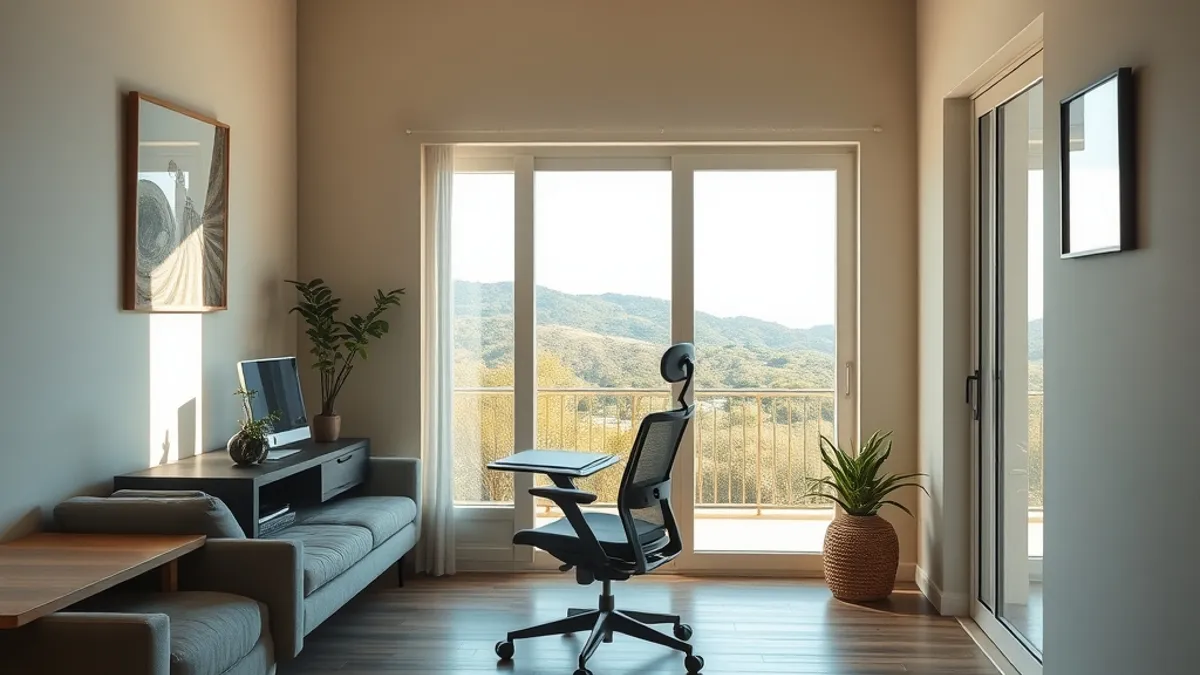
- Workspace proof: Request photos of the actual workspace showing a real desk, an ergonomic chair, and power outlets within reach of the desk, not on the opposite wall.
- Backup internet: Ask whether there’s a mobile hotspot or second provider as a fallback, and what the recent outage history looks like. A host who can answer this has probably dealt with outages before.
Your First-Hour Wifi Test on Arrival
The first hour after check-in is your window to catch problems while you can still do something about them. Don’t unpack, don’t celebrate, and don’t assume the connection is fine just because your phone loaded a webpage. A page that loads in three seconds can still be useless for a client presentation. Run a structured test before you’ve mentally settled in, while you still have leverage.
- Test at your real working hours. Run a speed test in your workspace during the exact hours you plan to work, not just once at midday when the villa feels empty. Evening congestion from other guests streaming and scrolling can cut your speed in half, and a line that seemed excellent at 2 p.m. may struggle at 8 p.m.
- Make a real video call. Speed tests show download numbers, but calls fail on upload long before downloads feel slow. Call a friend or colleague and see how you look and sound on camera, with your screen sharing on if that’s part of your workday.
- Map the signal. Walk the villa with your laptop and note where the wifi dies. If the bedroom has no signal but the terrace does, decide whether the workspace can move before you commit to a setup.
- Check latency. Ask the person on the call whether your audio glitches or cuts out. High latency makes conversations feel laggy even on fast lines, and it’s the issue speed numbers hide best.
If something is wrong, raise it with the host within the first 24 hours. Booking platforms typically have cancellation or refund windows that close quickly, and a documented problem reported early gives you far more leverage than a complaint on day four. Screenshot your speed tests, save the call notes, and keep everything in one folder so you can attach evidence without scrambling. A calm, specific message with numbers attached usually gets a faster fix than a vague complaint.
Auditing the Workspace: Desk, Chair, Light and Power
The desk is where most remote-work villas quietly fail. You want a proper desk at roughly 72-76 cm height, paired with a chair that actually supports your back. A dining chair and a coffee table feel charming on day one, but after week one your shoulders and lower back will let you know exactly what they think.
Light matters more than most travelers expect, especially if you spend hours on video calls. Position your screen so windows sit beside it, not behind or in front of it. A window behind you turns you into a silhouette on every call, while a window in front creates glare you fight all afternoon.
Power is the third silent dealbreaker. Confirm at least two outlets at desk level, and ask the host for an adapter or surge strip if the sockets sit far from the workspace. Running extension cords across a tiled floor is a trip hazard and a nuisance you can avoid with one message before booking.
Before you commit, walk through this quick audit:
- Climate control: check the workspace has air conditioning or at least strong fans, since tropical afternoons make uncooled rooms unusable by mid-morning.
- Noise test: open-air tropical villas sound dreamy, but pool cleaners, roosters and nearby neighbors can wreck recordings, so ask when pumps run and sit in the room at that hour.
- Screen placement: sit in the actual chair and open your camera to see the exact background colleagues will get during calls.
If you are hunting for a workspace that comes ready-made, some properties in Bali are designed with exactly this in mind, like the Ubud jungle villas built around quiet, dedicated workspaces. Otherwise, audit first and negotiate a better room second.
Backup Plans: Data SIMs, Hotspots and Power Cuts
Even a villa with great wifi needs a plan B. The cheapest insurance is a local SIM with 10-30 GB of data, which typically costs roughly $10-30 per month. Buy it on arrival day, before you have a deadline, so it works as an independent second connection rather than a panicked scramble.
Once the SIM is in, enable phone tethering and actually test it. Run a video call through your laptop using the hotspot before you ever need it in an emergency. Some networks throttle tethered devices or struggle with video, and you want to discover that on a quiet Tuesday, not during a client presentation.
Power cuts and rainy season
In Southeast Asia, expect more frequent power and internet outages during the November-March rainy season. Ask the host directly whether the villa has a generator or inverter, and whether the router stays online during a cut. A villa that keeps wifi running through a blackout is worth more than one with a slightly faster headline speed.
Identify your nearest coworking space or cafe with reliable wifi as a same-day fallback for critical meetings, and save its location offline. Finally, download meeting recordings and the files you need for the next day, so a one-hour outage never cancels a workday. Backup plans cost an hour to set up and save entire afternoons.
Few places match Bali and Phuket when it comes to villas that actually support remote work. Bali’s Canggu and Ubud offer the deepest villa market for remote workers, with fiber lines commonly running 100-300 Mbps and monthly rates ranging from $1,200 to $4,000. That depth of supply means you can be picky: if one villa’s setup disappoints, another is a short drive away.
Phuket is the other standout. Villas there typically run 50-200 Mbps fiber, which comfortably covers video calls and heavy file transfers. Phuket suits workers who want beach settings with city-grade connectivity, plus easier access to airports for regional travel.
Timing your booking
Book 2-3 months ahead for the high season months of June-September and December. The best-connected villas fill first, because remote workers who have been burned before rebook the same properties year after year. Waiting until a few weeks out usually leaves you choosing between slower lines and weaker workspaces.
When you compare listings, favor villas that advertise dedicated workspaces and business-grade internet over ones that only mention pool and views. A listing that specifies fiber speed, desk setup and backup power is telling you the host takes remote workers seriously. For a closer look at what a well-set-up option looks like, see these Bali infinity pool villas designed for tropical work retreats. The pool still matters, but the wifi matters more.
Where Remote-Work Villas Deliver: Bali and Phuket
If you want the odds stacked in your favor, start in Bali. Canggu and Ubud have become the deepest villa markets in the world for remote workers, which means hosts there compete on connectivity, not just on pools and sunsets. Fiber lines of 100-300 Mbps are common in these nomad hubs, and monthly rates typically run $1,200-$4,000 depending on size, location and season. That competition works in your favor: when one villa can’t prove its internet, another one a few streets away can.
Phuket is the strong second choice, especially if you want your desk within earshot of the waves. Villa fiber connections there typically run 50-200 Mbps, which comfortably covers video calls, cloud backups and large file transfers. Phuket suits workers who want a beach setting with city-grade connectivity, plus the practical backup of malls, cafes and coworking spaces a short drive away. If you’re weighing the two islands, our guide to Bali villas with infinity pools shows what the top end of the market looks like.
Timing and Listing Signals That Matter
Book 2-3 months ahead if you’re targeting June-September or December. High season fills the best-connected villas first, and by the time you’re shopping a few weeks out, you’re often choosing between the properties with weaker lines and weaker workspaces. Early booking also gives you time to run a speed test with the host before paying any deposit.
Finally, read listings with a filter in mind. Favor villas that advertise a dedicated workspace and business-grade internet over ones that only mention the pool and the views. A host who lists fiber speed, connection type and desk setup in the description has usually hosted remote workers before — and that track record is worth more than any infinity pool photo.
The Remote-Work Villa Checklist in Short
So the problem was never that listings lie outright — it’s that “fast wifi” describes the router, not your room, and “dedicated workspace” can mean a coffee table. The fix is simple: verify the speed, connection type and workspace with the host before you pay a deposit, then run your own tests in the first hour on arrival while a refund window is still open.
Once you’re in, audit the desk, chair, light, power and noise, and set up a data SIM plus a coworking fallback before you actually need them. Choosing proven hubs like Bali and Phuket helps too, and booking 2-3 months ahead for high season locks in the best-connected villas before someone else does. Done this way, a villa gives you the space and focus a hotel never will. Have a question or a tip of your own? Leave a comment or share this article.