Most families have been there: you book what looks like a perfectly good room, arrive exhausted after a long travel day, and discover at check-in that the family hotel room configuration doesn’t actually work. Two beds sounded fine online, but nobody mentioned that the “sleeps four” room has one queen and one single, or that a rollaway isn’t allowed. Suddenly a parent is sharing a too-small bed with a kicking toddler, and the whole trip starts on the wrong foot.
This guide walks you through the layouts that matter: why the right family hotel room configuration often beats chasing the lowest price, which room types fit which families, how suites compare with connecting rooms, and how to verify beds and occupancy before you pay. You’ll also find booking timing tips, money-saving tactics, and advice for matching the layout to your kids’ ages, so you can choose with confidence instead of gambling at the front desk.
Why Family Hotel Room Configuration Matters More Than Price
A room that looks like a bargain can turn into the most exhausting part of your trip if the layout is wrong. The classic mistake is assuming any room with two beds will fit your family, then discovering at check-in that the only options are a toddler on a sofa bed or a parent squeezed into a single. Nobody sleeps well, and the next day’s sightseeing suffers for it.
Occupancy limits make squeezing in impossible anyway. These rules are enforced at check-in, and they typically count all guests, including infants, so a family of five cannot simply squeeze into a double-double room even if everyone is willing to share. Hotels track headcount for safety and fire regulations, and front desk staff will send you back to booking if the numbers don’t add up.
The money angle most parents miss
Here’s the part that surprises people: the right configuration often saves money. If you arrive with the wrong room type, your only option is upgrading at the front desk, where late availability commands premium rates — if an upgrade exists at all. Booking the correct layout from the start, even if it looks pricier online, usually beats a desperate front-desk upgrade or a last-minute scramble to a second room.
Common Room Layouts and Who They Fit
Hotel room categories are confusing because the same name can mean different things at different properties. A “family room” at one hotel might sleep four comfortably, while at another it barely fits two adults and a crib. What matters is the actual bed count, bed sizes and maximum occupancy, not the label. Once you know the common layouts, you can match them to your family instead of guessing and hoping the front desk can fix things at check-in.
The workhorse for most families is the double-double room: two queen or double beds, typically comfortable for two adults and two children. Standard double-double rooms usually fit a family of four; five or more guests generally require a suite or connecting rooms. Beyond four, you’re looking at a room with an extra sleeping option or more space. A king room with a sofa bed works for two adults plus one or two young children, though keep in mind that sofa beds in most hotels sleep two children comfortably but are tight for adults. Family rooms and junior suites go further, adding a sleeping alcove, bunk beds or a separate sitting area, and usually fit four to five guests.
- Double-double rooms: the most widely available and usually the cheapest family-friendly option, so they’re often the first room type to sell out in school holiday periods.
- King rooms with a sofa bed: good value when the kids are small, but check whether the sofa bed opens into a proper mattress or a thin fold-out pad.
- Family rooms and junior suites: the extra sitting area or alcove lets you keep a light on or chat after the kids fall asleep, which parents quickly learn to appreciate.
- Connecting rooms: two rooms joined by an interior door, ideal for larger families or with teens who want their own space and a second bathroom.
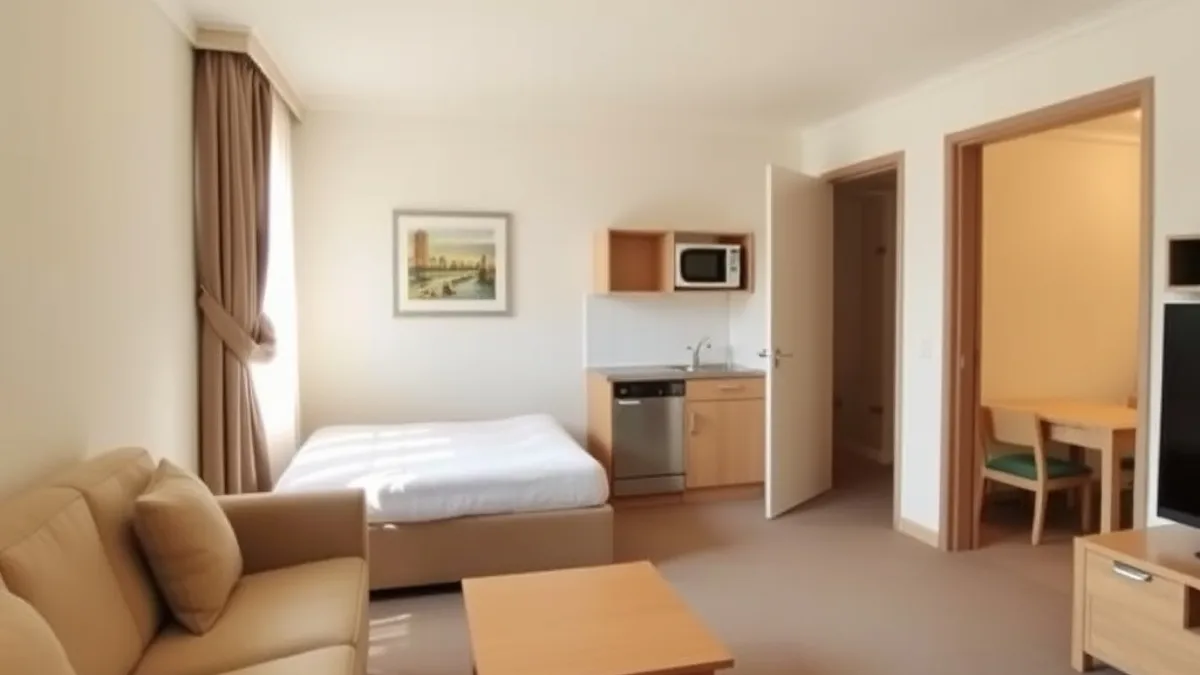
Suite vs Connecting Rooms: Comparing the Two Big Upgrades
Once your family outgrows a standard room, you face the two big upgrades: a suite or connecting rooms. Both give you more space, but they solve different problems and cost different amounts.
A suite bundles living space and bedrooms under one door. Family suites usually run 15 to 30 percent more per night than two standard rooms, which makes them the gentler hit on your budget. Connecting rooms, by contrast, generally cost 1.5 to 2 times the price of a single standard room. What you get for that extra money is real separation: two bathrooms, two TVs and two doors that close. For families with older kids, that second bathroom alone can be worth the difference.
Which one fits your family?
Suites suit families with small children who need line-of-sight supervision. With one door and an open living area, you can sit on the sofa after bedtime while the kids sleep a few steps away. Connecting rooms suit families needing space and privacy, especially with teens or a large headcount, since everyone gets their own corner of the trip.
One more option to look for: some hotels offer family suites with kitchenettes. On stays of a week or longer, having a fridge, microwave and sink cuts food costs significantly, since you can handle breakfasts and simple dinners without eating out every night. That saving can quietly offset much of the suite premium.
How to Verify a Configuration Before You Book
A room category name tells you almost nothing about what you’ll actually sleep on. “Family room” at one hotel means two queens and a bunk nook; at another, it means a cramped double with a thin mattress dragged into the corner. Before you pay, verify the details yourself.
- Read the full room description. Look for exact bed sizes (queen, double, king) and the maximum occupancy, not just the label. Occupancy limits typically count every guest, even the tiniest ones, so a couple with three kids can’t assume a “double-double” will work even with a baby in arms.
- Call or email the hotel directly. Front desk staff can confirm whether the sofa bed is a real sleeper sofa or just a couch, whether rollaway beds are permitted in that room type, and what a rollaway costs. Many hotels charge roughly $20 to $50 per night, and some impose age or weight limits.
- Request the crib or rollaway in advance. Hotels keep limited stock, and cribs are usually free but not guaranteed if you simply hope one is available at check-in. Add the request to your reservation and reconfirm a day or two before arrival.
- Cross-check with floor plans and guest photos. Booking platforms often show layout diagrams and traveler photos that reveal whether the “suite” is genuinely separate or just a divided room. Photos from recent guests are harder for a hotel to stage than official ones.
It also pays to ask about extras that never appear in the booking summary. Some properties throw in a mini fridge, a microwave or a pack-and-play at no charge if you simply ask. Others charge resort fees that only surface at checkout, so ask about those too while you have someone on the phone.
If calling feels like a chore, it helps to know which hotels handle guest requests well in the first place. Reading about hotels that go above and beyond for their guests can point you toward properties likely to answer your questions honestly and actually deliver the crib you ordered.
Booking Timing and Money-Saving Tactics for Family Rooms
Family rooms are the scarcest inventory in most hotels. A property might have two hundred standard rooms but only a handful of connecting layouts or family suites, which means the rooms that actually fit your family disappear long before the rest. Timing your booking matters as much as picking the right layout.
For summer trips and holiday periods, reserve family room types 3 to 6 months ahead. These configurations sell out first, and once they’re gone, your options shrink to paying for two full-price rooms or squeezing into a layout that doesn’t work.
It also pays to compare your upgrade options rather than assuming one is cheaper. Run the numbers on a suite against two connecting rooms, then weigh what each gives you in bathrooms and total space.
- Price a suite against two connecting rooms. The suite is often the cheaper option on paper, but two connecting rooms typically bring a second bathroom and more total square footage, which matters a lot with older kids who take long showers.
- Do the kitchenette math for long stays. On trips of a week or longer, a kitchenette suite’s premium over a standard room is often offset by breakfasts and a few dinners you make yourself instead of ordering in.
- Join loyalty programs before you search. Many chains release family rooms and connecting layouts to members before opening them to general sale, so a free membership can give you a head start on the scarce inventory without changing your budget.
Set a calendar reminder for the booking window rather than trusting yourself to remember. Family layouts rarely reappear once released, and a ten-minute booking months out beats a stressful reconfiguration at the front desk.
Matching the Layout to Your Kids’ Ages and Travel Style
The right room for a family with a newborn looks nothing like the right room for one with two teenagers. Kids’ ages drive everything: how close they need to sleep to you, how much privacy they demand, and how much noise travels between beds. A layout that feels cozy and practical one year can turn awkward the next, so match the room to the stage your family is in right now, not the one you hope for.
With babies and toddlers, the priorities are simple: a real bed for you, a safe sleep space for them, and darkness. With school-age kids, you can usually consolidate everyone into one room and keep costs down. With teens, separation becomes worth paying for.
- Babies and toddlers: Choose a king room where the crib fits on your side of the bed, and confirm the room has blackout curtains. Enough floor space between the crib and your bed lets you handle diaper changes and midnight soothing without waking everyone.
- Kids aged 4 to 11: Bunk-bed family rooms are a win at this age; kids treat the bunks as part of the fun, and everyone stays together at one-room prices. A sofa bed works too, since most hotel sofa beds comfortably sleep two children.
- Teens: Connecting rooms or a suite with a sofa bed head off the nightly friction over privacy and bedtime. Teens get their own space and their own TV; you get to sleep without tiptoeing.
- Long stays: A kitchenette suite cuts restaurant spending significantly over a week or more, and it makes early bedtimes manageable since you’re not hauling tired kids to a restaurant at seven every evening.
Reassess the configuration every couple of years, ideally before each major trip. The room that worked perfectly when your kids were six can feel cramped and contentious by the time they’re twelve, especially once everyone is taller and louder. Treat each booking as a fresh decision rather than repeating last year’s choice out of habit, and your whole family will sleep better for it.
Wrapping Up Your Room Choice
Most family hotel disappointments start the same way: you book a standard room, assume two beds will cover everyone, and find out at check-in that the layout doesn’t match your headcount. The best family hotel room configuration depends on headcount, your kids’ ages and your budget, not on the room category name a booking site gives it.
Before paying, verify bed sizes, maximum occupancy and extras like cribs or rollaways directly with the hotel. For summer and holiday trips, book family layouts months ahead so you’re not left settling for a cramped default room. If a configuration worked especially well or badly for your crew, share it in the comments below.